
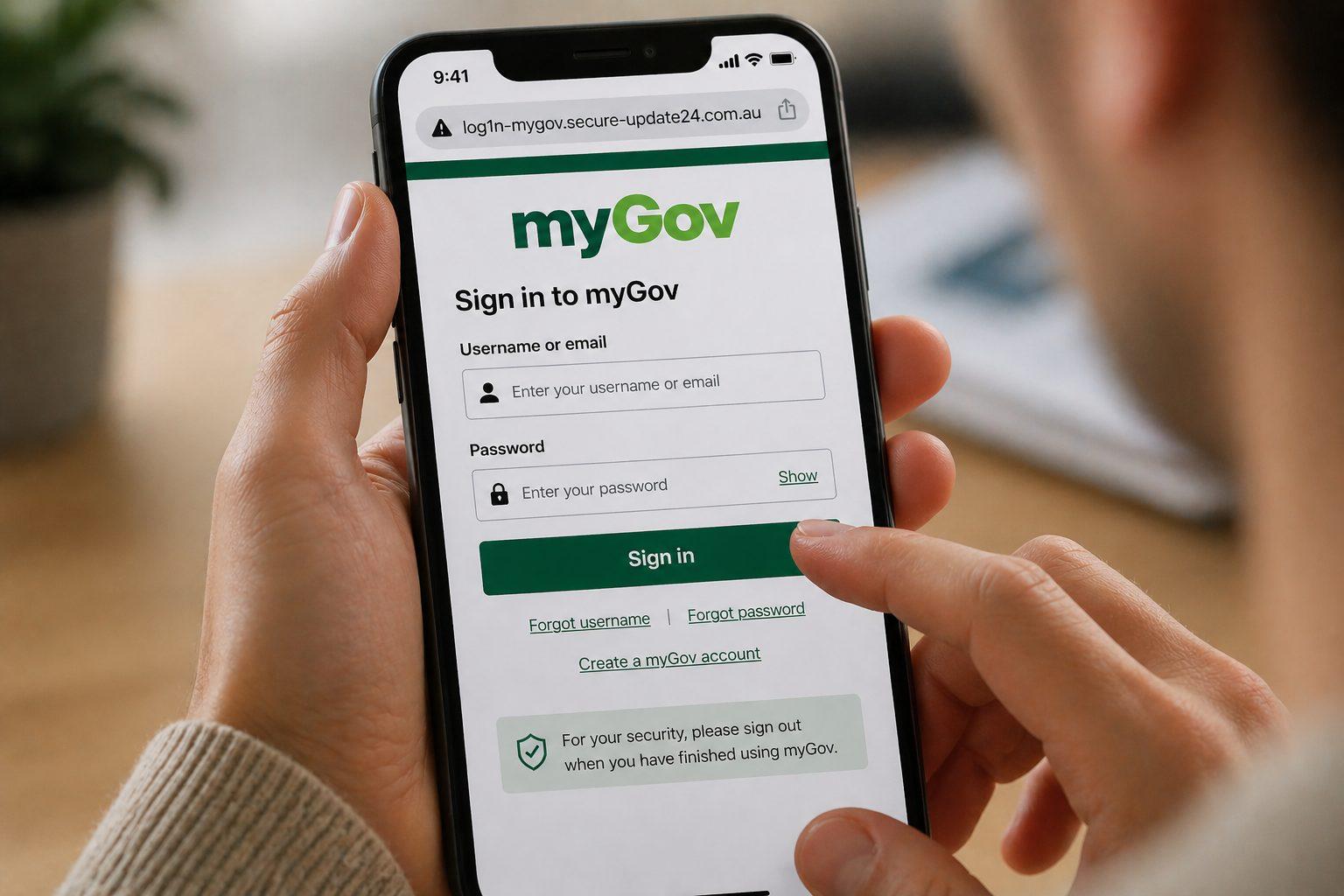
Picture this: you get a text message that looks exactly like it’s from myGov. It says there’s an issue with your account and you need to verify your details, or risk losing access to your Medicare information, tax records, or Centrelink payments. The link looks legitimate. The branding looks right. You click it.
That’s all it takes.
Scams impersonating myGov, the Australian government’s online services hub have been a known threat for years. But what’s changing is how convincing and targeted they’re becoming. As Australia rolls out digital identity services like myID (formerly myGovID), the stakes get considerably higher.
It’s Not Just a Fake Text Message
Older scams were easier to spot: clunky grammar, suspicious URLs, generic greetings. Today’s impersonation scams are different. Scammers can now clone the look and feel of government login pages with alarming accuracy, use your real name in messages, and time their attacks to coincide with genuine government communications, like tax time or welfare payment cycles.
The goal isn’t just to steal your password. With a compromised digital identity credential, a scammer could potentially access multiple government services at once, file fraudulent tax returns, redirect payments, or open the door to identity fraud that takes years to unwind.
This Isn’t a Uniquely Australian Problem
Our TrendLife research is already showing these threats in the Philippines where national digital ID adoption has accelerated rapidly, and we have observed scammers moving quickly to exploit that transition. We have identified fake national ID registration sites designed to steal identity documents from people who believe they are signing up for a legitimate government program.
This reflects a broader scam pattern: criminals target moments of adoption, when people are less familiar with what legitimate processes look like and when the potential value of stolen data is highest. As Australia continues to expand its digital identity ecosystem, the same conditions are emerging here.
How The Scam Typically Unfolds
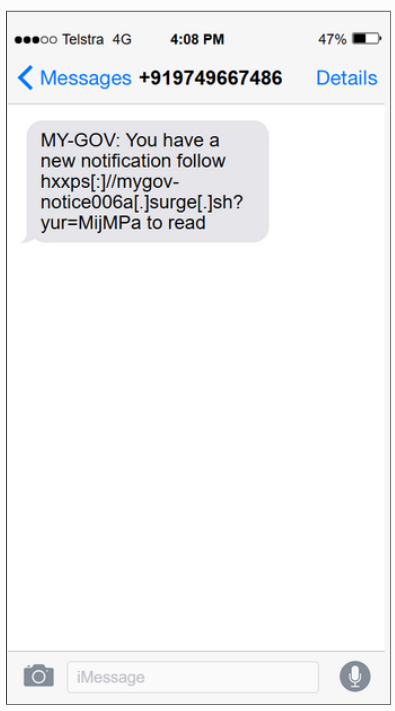
- The SMS message
- You receive a text claiming there’s an important update or issue with your myGov account. It’s designed to create urgency and prompt you to act quickly.
- The fake website
- The link takes you to a convincing myGov-style login page. The branding, layout, and flow are designed to feel familiar and trustworthy.
- The login prompt
- You’re asked to enter your username and password, just like you normally would.
- The error message
- After submitting your details, the page displays an error or becomes inaccessible. This may prompt you to try again, but your credentials have already been captured.
What The Website Actually Does
Once you enter your details, they’re sent directly to the attacker. From there, scammers may attempt to:
- Access your myGov account and any linked services
- Reset passwords and lock you out of your account
- Access sensitive personal information (e.g. tax, health, or benefit records)
- Use your identity for fraud, including applying for payments or services
- Even if the page stops working, the information you entered may already be compromised.
Warning Signs to Watch For
- Unexpected SMS messages about your myGov account
- Links that don’t clearly lead to official .gov.au websites
- A sense of urgency or pressure to act quickly
- Login pages that look real but are accessed via a message link
- Error messages after entering your details
Simple Steps to Stay Protected
- Don’t click links in unexpected messages
- If you receive a myGov-related SMS, go directly to the official website by typing it into your browser.
- Check the URL carefully
- Official myGov services use trusted .gov.au domains. Anything else should be treated with caution.
- Be cautious of urgency
- Scammers rely on panic and quick action. Take a moment to verify before responding.
- Use anti-scam security software
.- Dedicated tools are designed to check suspicious messages, links, and phone numbers to catch scams that are built to look legitimate. Trend Micro ScamCheck is designed to do exactly that: take a screenshot of any suspicious message, email, or website and it can tell you whether it’s a threat. You can also use it to verify URLs and phone numbers before you engage.
- Act quickly if you’ve entered your details
- Change your passwords immediately and contact the relevant services if you believe your account may have been compromised.
- Change your passwords immediately and contact the relevant services if you believe your account may have been compromised.
These scams are sophisticated and designed to feel exactly like legitimate government procedures. The good news: knowing what their tactics look like puts you one step ahead. If you found this helpful, pass it on to someone you know. The more people are aware of how these scams work, the less effective they are.
Already a Trend Micro Customer?
Visit your Trend Micro Account to see if Trend Micro ScamCheck is included in your subscription.
0 Comments
You Might Also Be Interested In...


