
This article discusses a scam that impersonated Robinhood. Neither Robinhood nor its services were involved in the scam, and this article should not be interpreted to state or imply any wrongdoing on their part.
Robinhood patched this vulnerability on April 28, 2026. The phishing domain is now offline. If you have questions about your account security, visit robinhood.com/support.
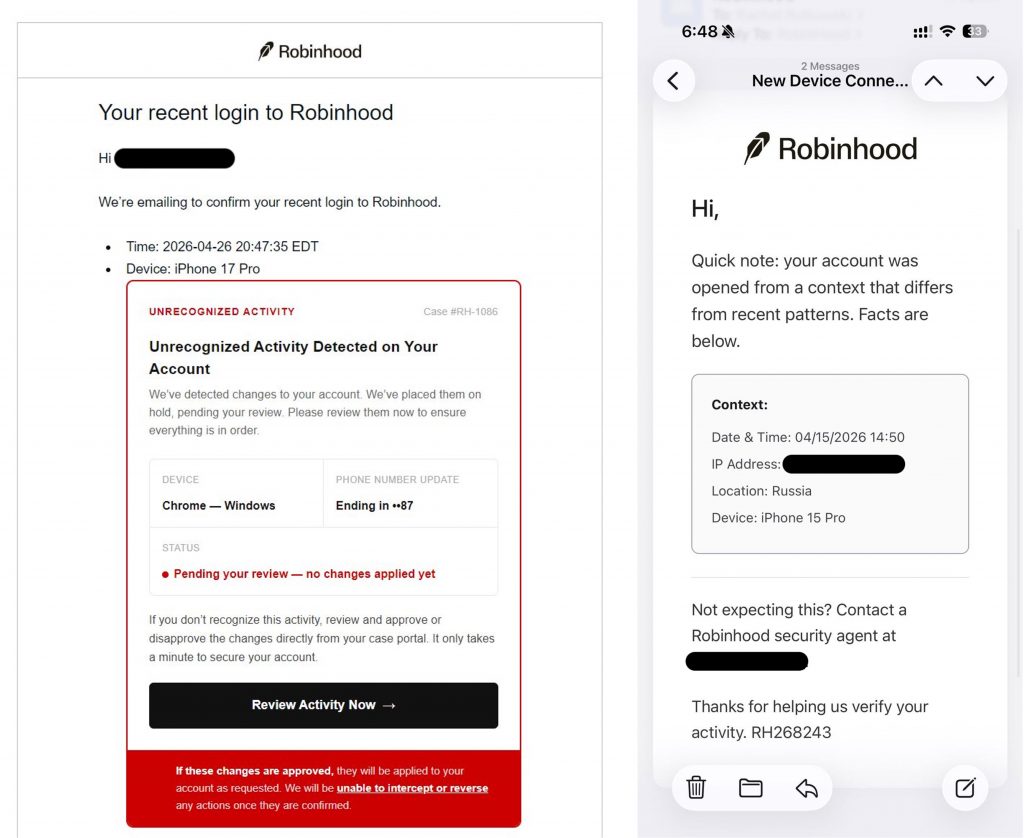
Imagine this scenario: an email arrives from noreply@robinhood.com, the sender address is correct, Robinhood’s verified logo sitting beside it. The subject line reads “Your recent login to Robinhood,” and the message warns of unrecognized activity on your account.
A button says, “Review Activity Now.”
For thousands of Robinhood users in late April 2026, that button was the start of a cryptocurrency theft they couldn’t undo. This article is a post-mortem of that campaign, and while the threat described here is no longer active, the tactics it used are still out there.
Here’s what happened, and how to recognize it.
What made this scam different
Most phishing emails have tells: a slightly wrong sender address, a suspicious domain, a misspelled logo. This campaign had none of those. Attackers found a way to abuse Robinhood’s account creation flow to let them inject fake content into emails that Robinhood’s own servers sent out.
Those emails passed every technical security check: Gmail displayed Robinhood’s verified blue checkmark and the messages landed in primary inboxes, not spam. There was nothing technically wrong with them, because technically, Robinhood sent them.
Our researchers found evidence of injected content replacing the normal email body with a fake security alert, complete with a case number and a “Review Activity Now” button. Clicking it redirected to a fake site which asked users to verify their identity, share their crypto wallet balance, and ultimately transfer cryptocurrency into a wallet controlled by the attackers, and those transfers could not be undone.
Robinhood identified and patched the vulnerability on April 28, 2026. No accounts were breached on their end, but anyone who transferred crypto through that site lost those funds permanently.
The broader campaign: texts, spoofed emails, and phone calls
The April phishing emails were the most technically sophisticated piece, but they weren’t the full picture. A separate group had been running a parallel campaign since at least February 2026, sending:
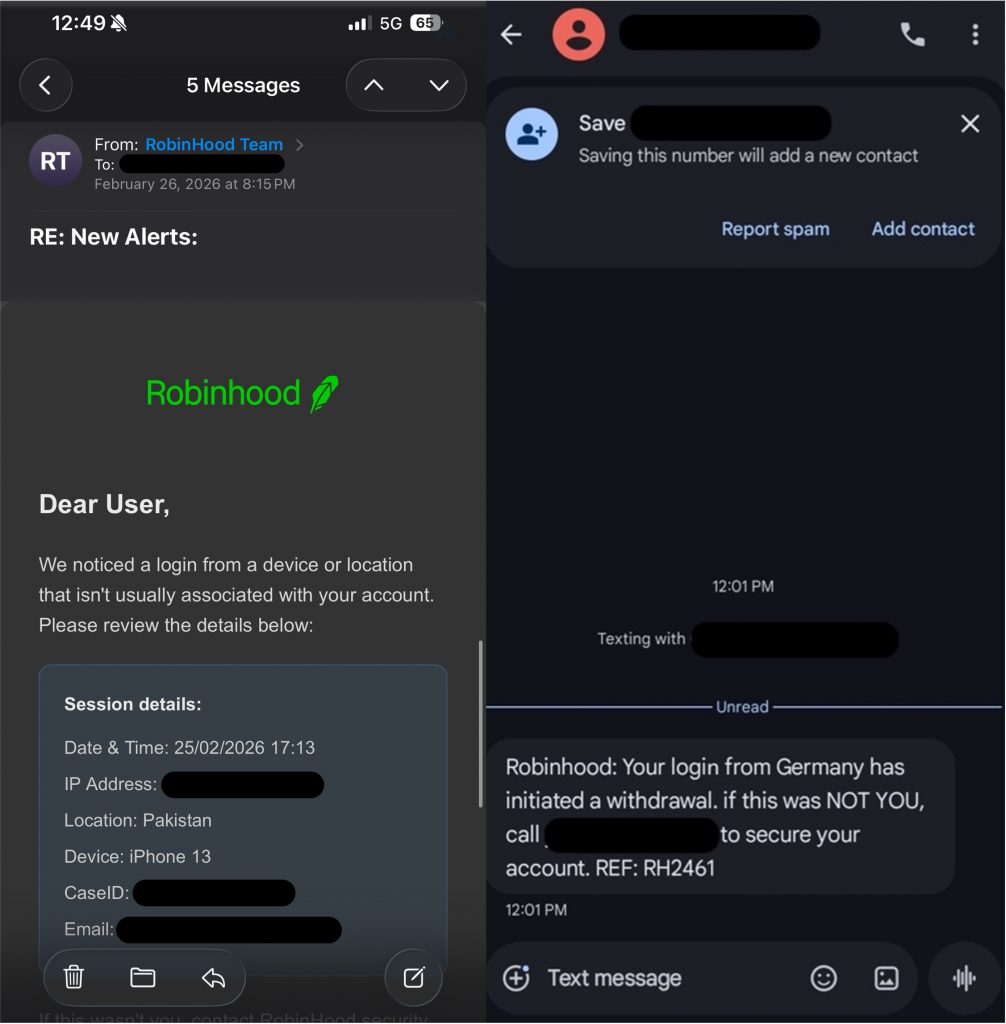
- Text messages warning of a pending unauthorized withdrawal of $1,972.53, urging recipients to call a phone number immediately
- Emails styled to look like official Robinhood communications, claiming an unrecognized device had logged in from Russia or Pakistan, with fabricated timestamps, partial IP addresses, and a fake case ID
All of them directed people to call fraudulent support numbers, none of which matched Robinhood’s official line.
The campaign also escalated to direct AI-powered voice calls. Users reported receiving calls from a convincing, life-like voice claiming to be Robinhood’s security team, flagging a suspicious login from a foreign country and asking them to check their account immediately. The caller used the recipient’s full name, likely sourced from previous data breaches, to sound credible. But the number it called from didn’t match Robinhood’s official line, and the voice was the real tell: a 5–10 second processing delay before each response, a tone that never varied, no hesitations, no “um,” nothing a real support agent does. Real Robinhood support only contacts users through callbacks they request inside the app and never makes cold outbound calls.
What to watch for in similar campaigns
While this specific campaign has been shut down, the tactics it used are common across impersonation scams. Here’s what to look for:
- Urgency about a transfer or withdrawal you didn’t make. Scammers use this to push you into acting before you’ve had a chance to verify.
- A support number inside a message. In this case, Robinhood doesn’t embed phone numbers in security alerts. If you see one in a message, it’s always best to look it up independently before calling.
- Any request to transfer or move cryptocurrency “for security.” No legitimate financial platform works this way. Moving the funds is the theft, not the prevention of it.
- A link to a domain you don’t recognize. Cybercriminals will often link you to unknown domains. Real Robinhood security prompts take you to the app or to robinhood.com, not to a third-party site.
- An unexpected call from a company or service. In this scam, users received calls impersonating Robinhood’s support team. Cybercriminals can spoof numbers to make it look like someone you recognize is calling.
What to do if you encounter one
- Don’t click any links or call any numbers inside messages. Open apps directly from your phone’s home screen, check your account activity there, and reach out through the company’s official support page if something looks off.
- Don’t interact. If you receive an unexpected call from someone claiming to be a company or service you use, hang up without confirming your name, your account status, or anything else. The information they already have about you, like your full name, may come from a separate data breach and doesn’t mean the call is legitimate.
- Use anti-scam security software. If something feels off, a screenshot is all it takes. Trend Micro ScamCheck can analyze suspicious messages, links, and phone numbers and tell you whether they’re a threat before you respond or click anything.
- If you think you’ve already interacted with the phishing site associated with this scam or shared account details over the phone, update your account credentials right away, document what happened, contact Robinhood, and report it to the FTC at reportfraud.ftc.gov.
Why this one was hard to catch
This campaign worked because it used the signals we’re trained to trust: a real sender address, a verified logo, specific-looking details, and an AI-generated voice that sounded convincingly like a real person. These aren’t amateur setups. Scammers invest significantly in making them feel legitimate, and that’s exactly why even careful people encounter them.
But the giveaway was always in the ask, not the appearance. Any message or call that ends with “transfer your crypto” or “check your account right now” is designed to move you past the moment where you’d normally suspect something is up. Taking that important step to verify through a channel you know to be official makes all the difference, and it doesn’t take any technical expertise, just a few moments.
0 Comments
You Might Also Be Interested In...


